![accrisoft_logo_med.png]](https://help.accrisoft.com/hs-fs/hubfs/accrisoft_logo_med.png?height=50&name=accrisoft_logo_med.png)
The Security module in Freedom allows administrators to create new admin users and control their access levels. Only users in the [admin] Access Level Group can create other admin users.
Note: Accrisoft staff cannot add security users to a Freedom site on behalf of customers due to security policy. This must be done by your own admin users.
Creating a new administrative login
- Navigate to Website > Security. You will see the Users, Groups, and Access Level tabs.
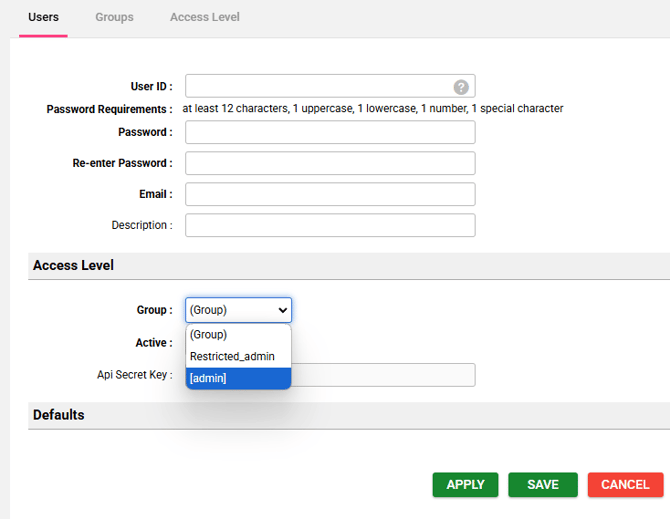
- Under the Users tab, click the green + User button.
- Enter the new user's login credentials and information.
- In the Access Level section, select the group the admin user will belong to. This controls which modules they can access. To grant full access, select the system default: [admin].
- Click Save.
Limiting an administrative user's access
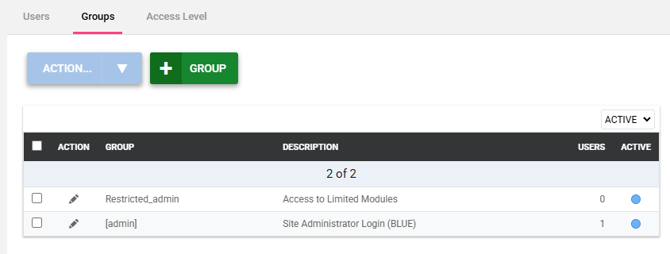
- Navigate to Website > Security > Groups tab.
- Click the green + Group button, enter a name for the new group, and click Save.
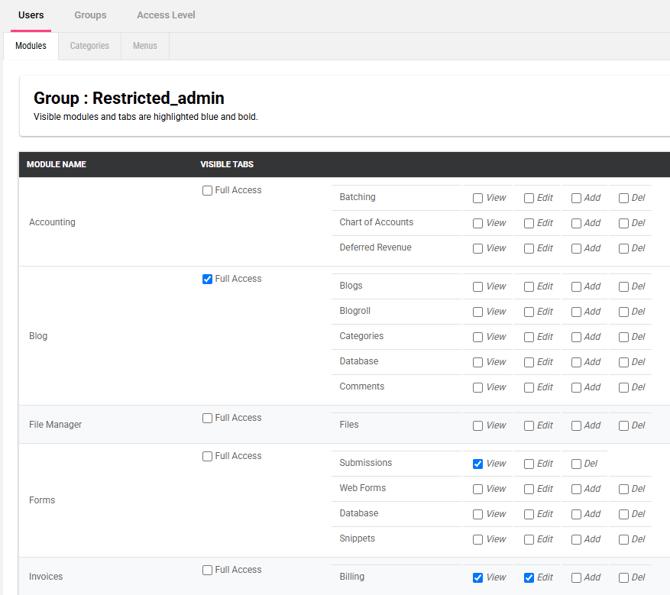
- Go to the Access Level tab and click the edit pencil next to your new group.
- Check the boxes for the modules this group should have access to.
- Scroll to the bottom and click Save.
- To verify access, create a test user assigned to the new group and log in with that account. Delete the test account when finished.
Important: Manage security users carefully. Admin users have access to modify content and configuration across your Freedom site.