![accrisoft_logo_med.png]](https://help.accrisoft.com/hs-fs/hubfs/accrisoft_logo_med.png?height=50&name=accrisoft_logo_med.png)
The Menus module in Freedom allows you to add new menu items to any menu group on your site, including top-level items and items nested inside folders.
Adding a new menu item
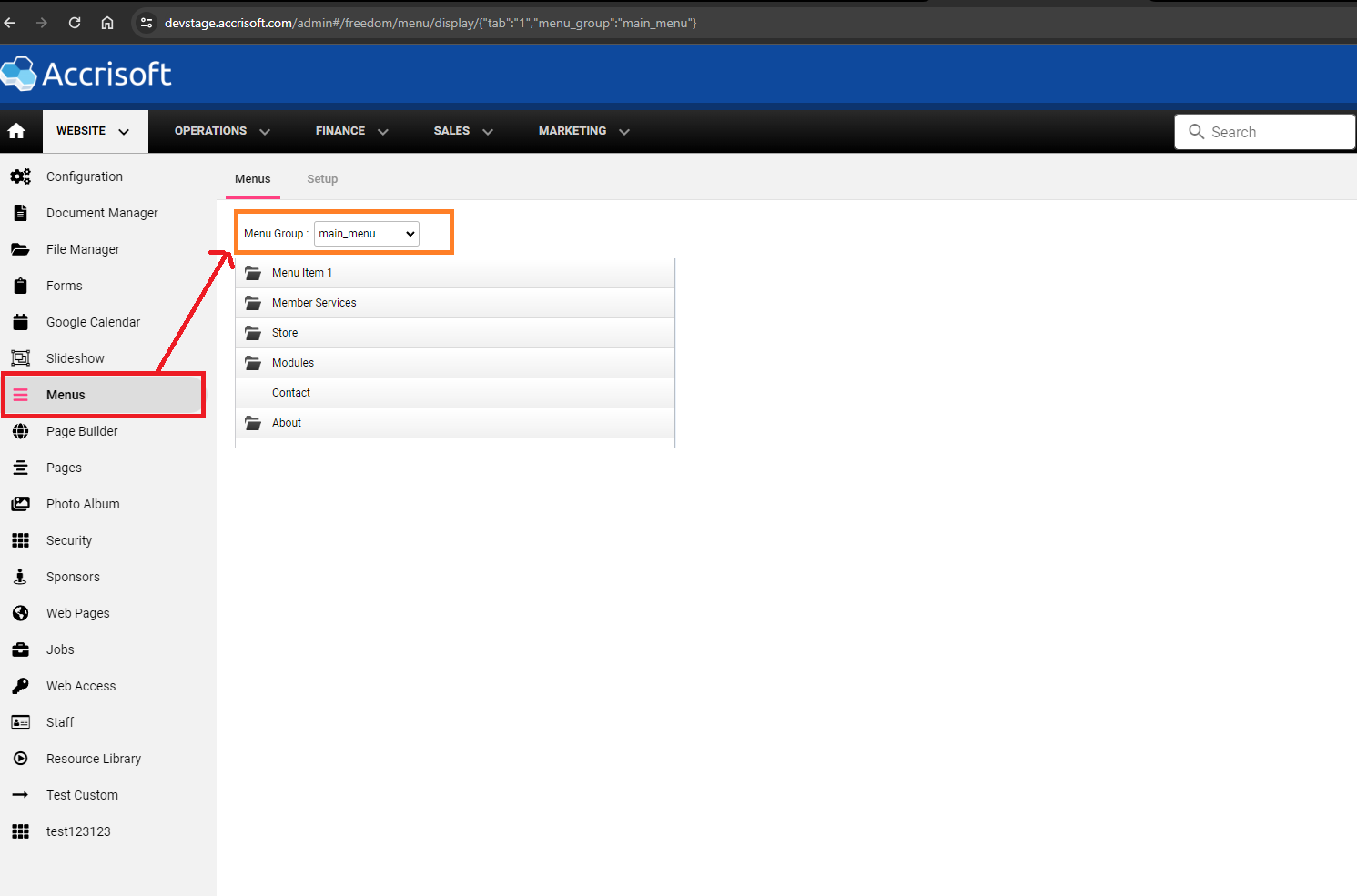
- Navigate to Website > Menus.
- Select a Menu Group from the dropdown (e.g., main_menu or social_menu).
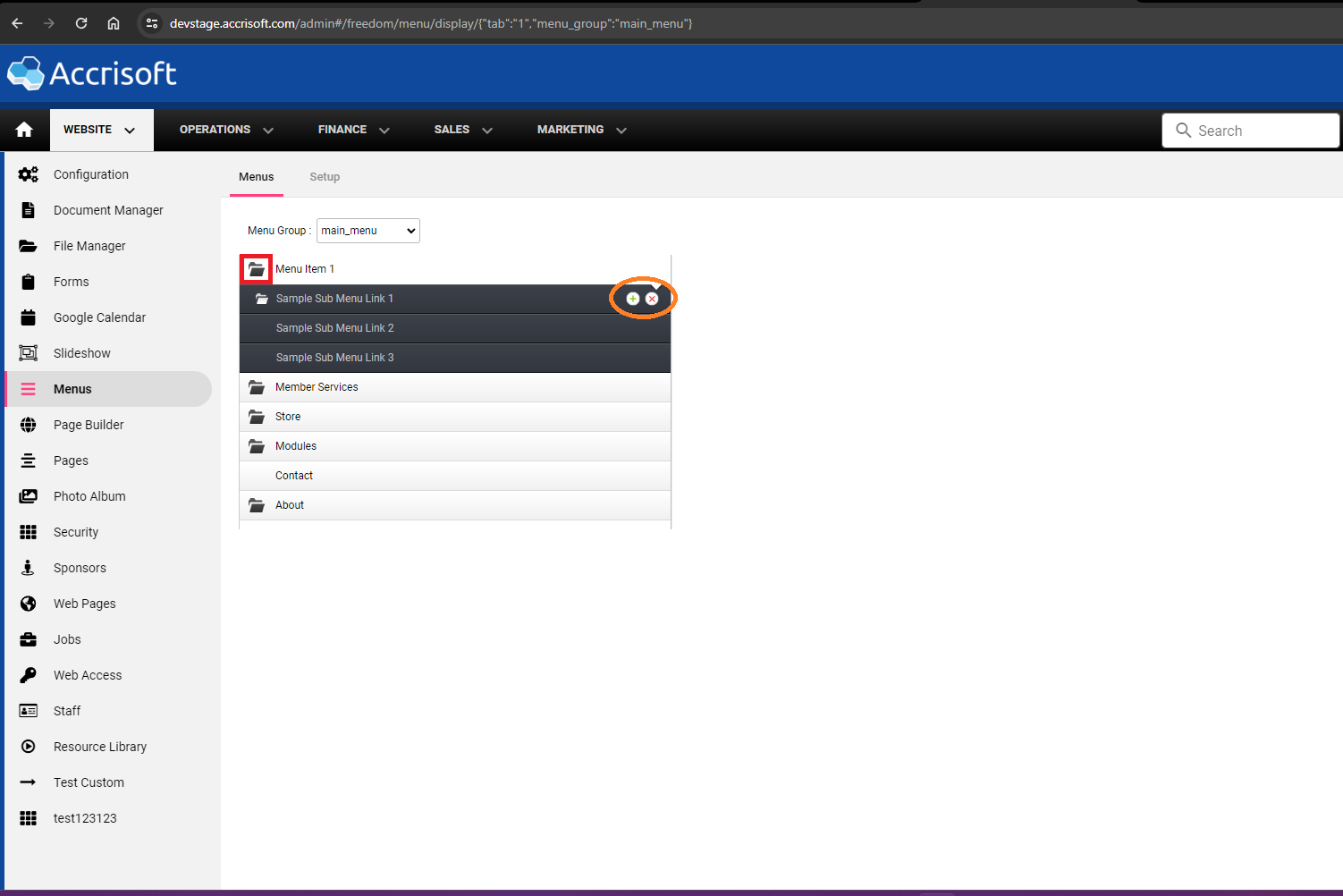
- Within the selected group, hover over an existing item and click the green + button to add a new menu item below it.
- Fill in the menu item details and click Save.
Creating folders within the Menus module
Folders group multiple menu items under a single parent item (useful for dropdown navigation).
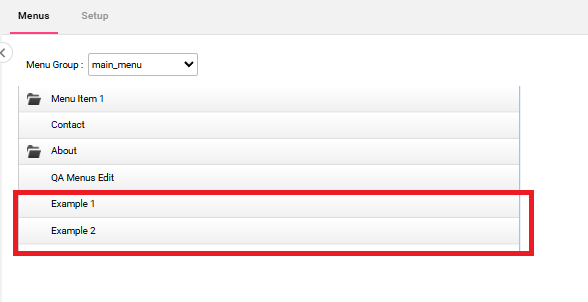
- Create two menu items in the same group.
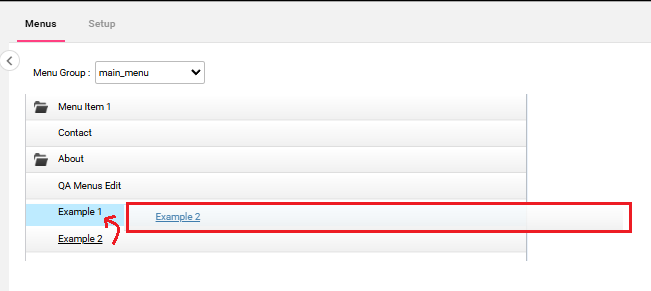
- Drag and drop one item on top of the other. This converts them into a folder with both items nested inside.
Related articles