![accrisoft_logo_med.png]](https://help.accrisoft.com/hs-fs/hubfs/accrisoft_logo_med.png?height=50&name=accrisoft_logo_med.png)
Freedom automatically backs up web page and blog article content. If you need to revert a page to a previous version, you can restore it from the Backups section.
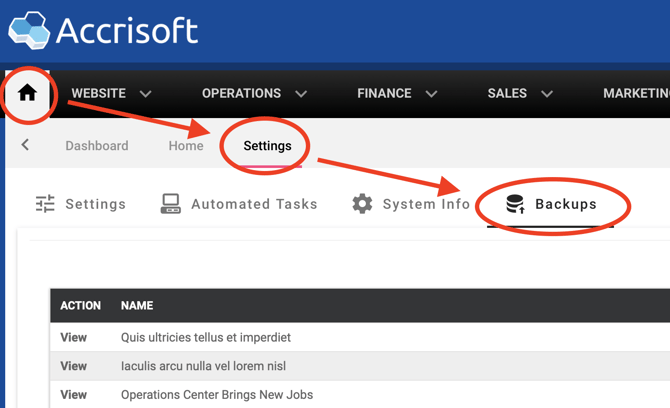
- Navigate to Home > Settings > Backups tab.
- Locate the backup you want and click to open it. You will see a table of individual revisions for that backup.
- Find the revision you want to restore and click its Restore button.