![accrisoft_logo_med.png]](https://help.accrisoft.com/hs-fs/hubfs/accrisoft_logo_med.png?height=50&name=accrisoft_logo_med.png)
In this example of how to use the reorder tool, I am using the staff module.
This module can be found in the website application > staff.
As shown in the screenshot below there are items within this module that need to be reordered. For instance, I would like to move the item with the name of (Anne) to be below (Becky).
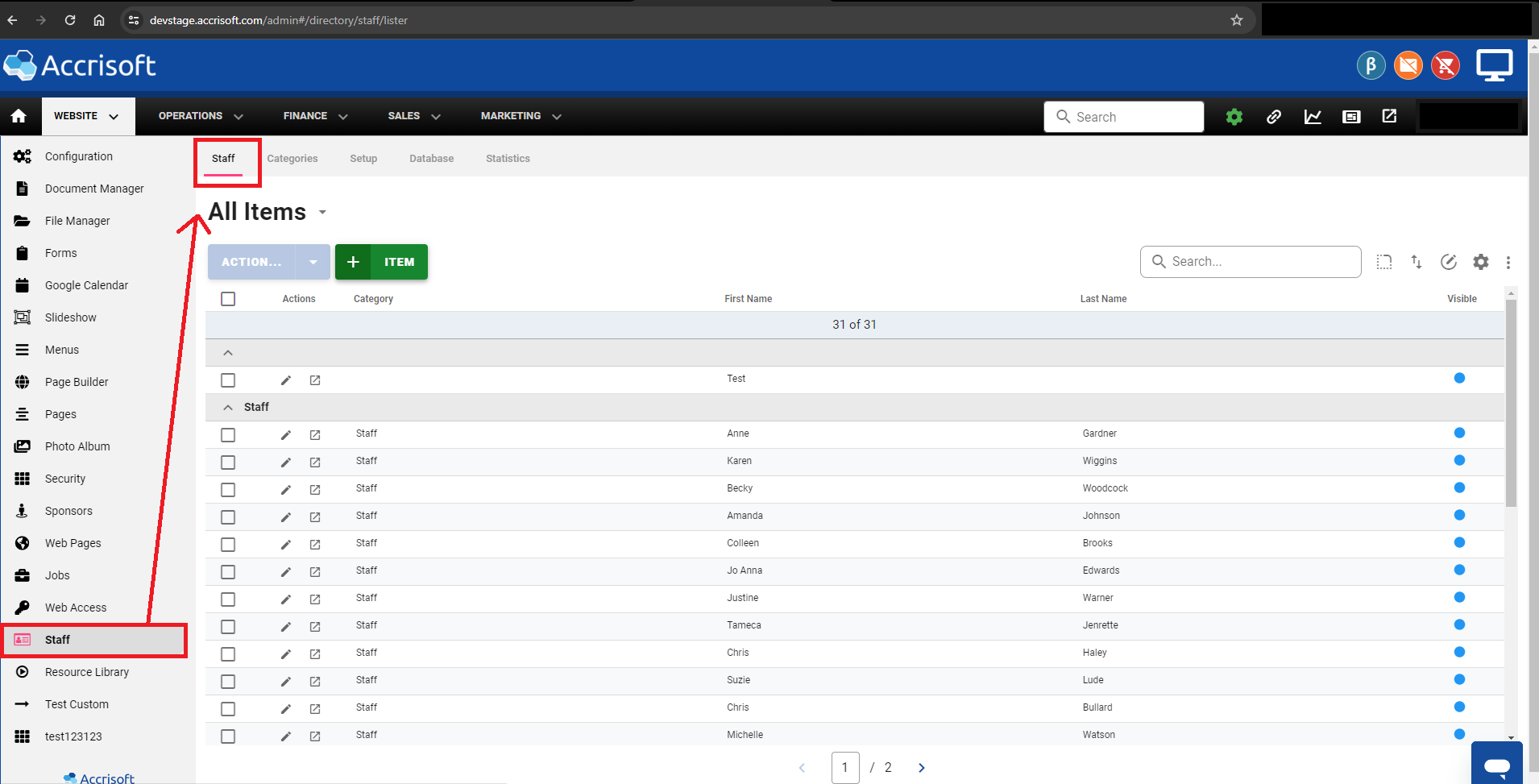
This can be accomplished by way of the reorder tool.
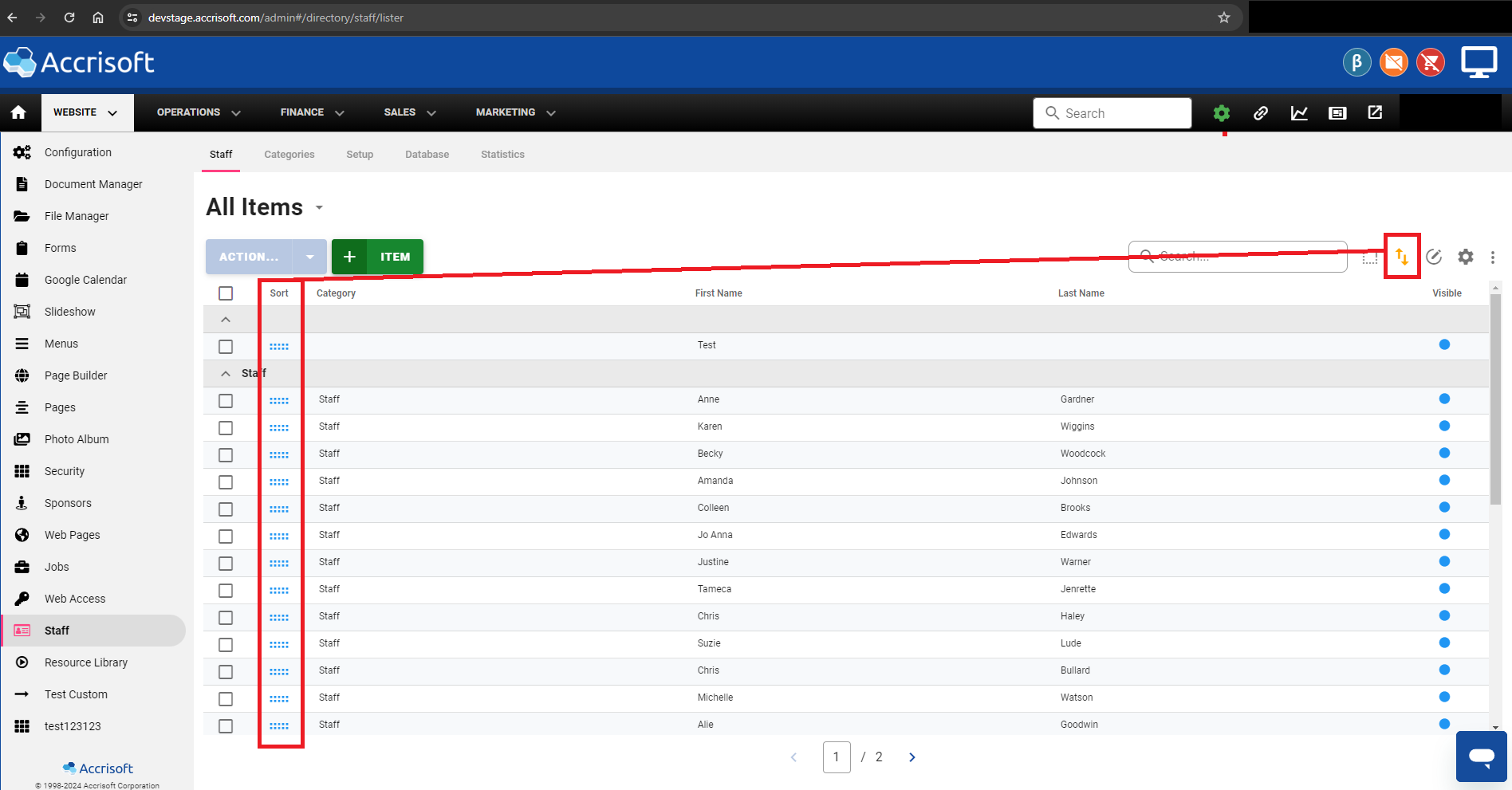
- Click the Up / Down Arrows to enable the reorder tool
- Click and drag the Item to rearrange in the lister.
- Once you let go of the Item the lister will update with the changes made to the positioning of these items.
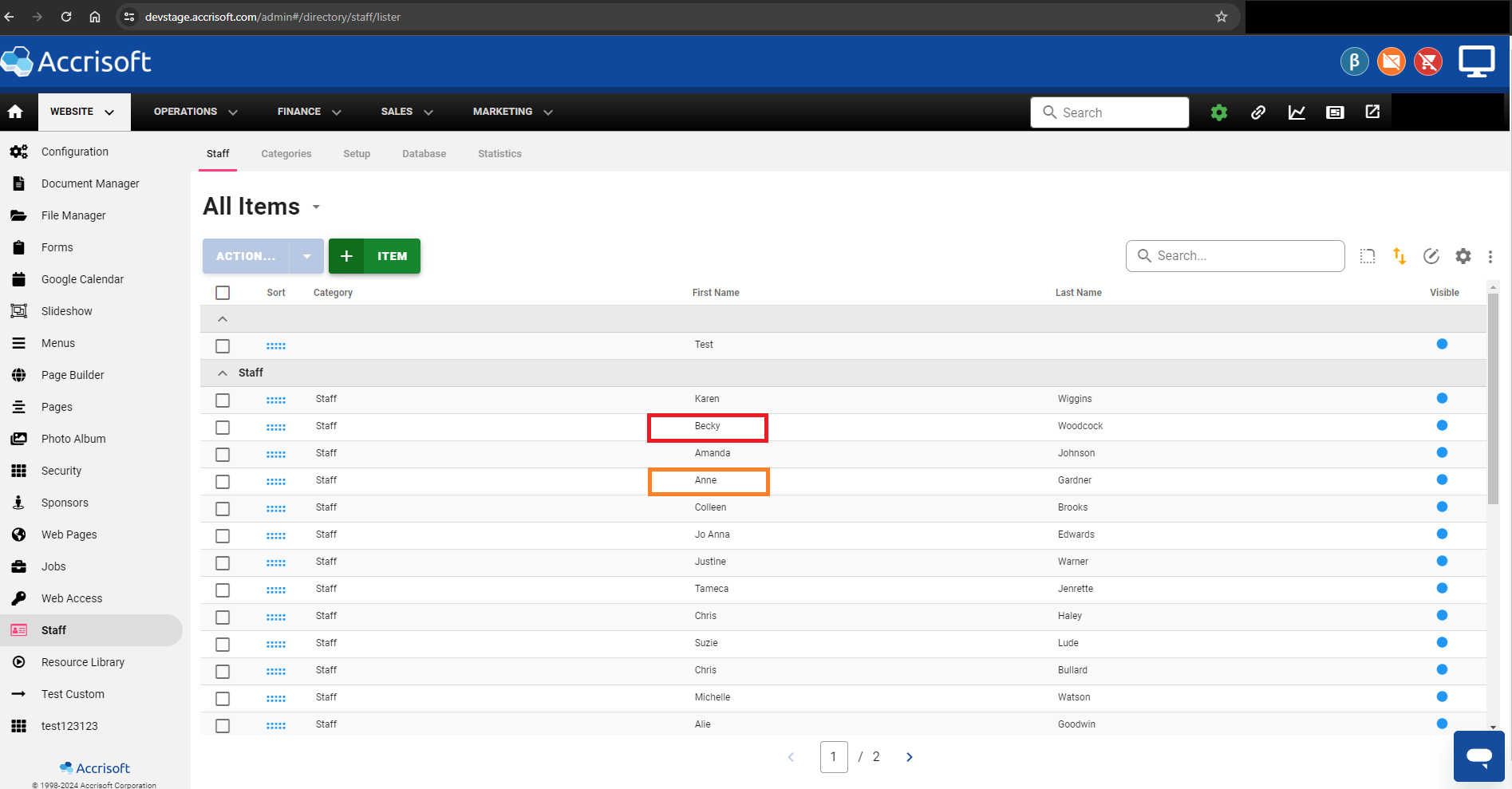
- Finally, Click the Up/Down arrow icon to disable the Reorder Tool and save the changes.