![accrisoft_logo_med.png]](https://help.accrisoft.com/hs-fs/hubfs/accrisoft_logo_med.png?height=50&name=accrisoft_logo_med.png)
The Data Manager's Conflicts tab is a handy tool for quickly identifying and managing duplicate records in the Contact Database. Regularly check and resolve conflicts to ensure data integrity.
Warning: Merging contact records is permanent and cannot be undone. Always verify the correct records before confirming the merge.
Video Overview:
Documentation:
Purpose of Data Manager > Conflicts tab: To Manage and eliminate duplicate records in your Contact Database.
1. Accessing the Conflicts Tab:
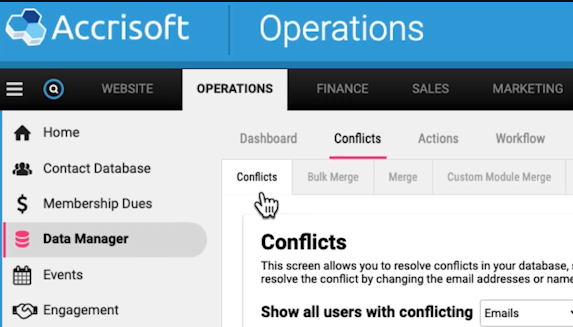
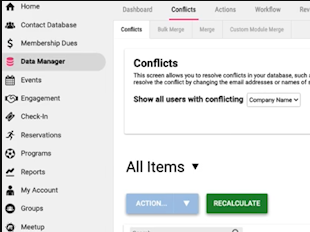
- Navigate to the Operations screen.
- Go to the Data Manager Module.
- Select the Conflicts tab and its sub-tab "Conflicts".
2. Identifying Duplicate Records:
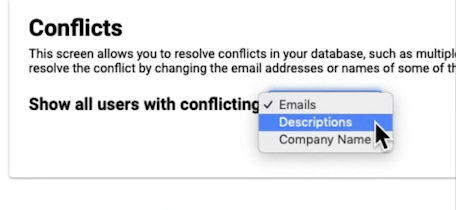
- The system categorizes conflicts by:
- Duplicate emails
- Duplicate descriptions
- Duplicate company names
- To view conflicts, select the desired criteria from the dropdown menu.
3. Resolving Conflicts:
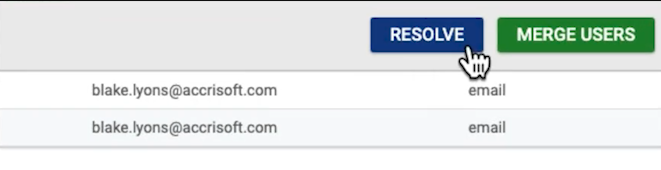
Option 1: Manual Edit
- Click the "Resolve" button (blue) beside the conflicting record.
- Edit details inline and click "Done" when finished.
Option 2: Merging Duplicate Records
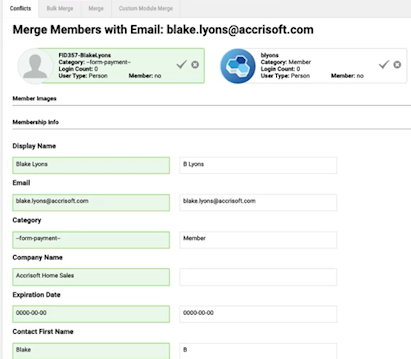
- Click "Merge Users" beside the conflicting records.
- Two columns appear:
- The green highlighted column indicates the record that will be saved by default.
- Review both records to decide which information to keep.
- Click on the checkmark to shift the green highlight to fields you want to save.
- Click "Save" to merge the records.

Note: If conflicts look like unique records, consider returning to the database to manually adjust the entries.
4. Additional Tools:
Recalculate:
- Fetches new conflicts from the Contact Database.
- If a conflict is present in the database but not visible on the Conflicts tab, use "Recalculate".
Action Button:
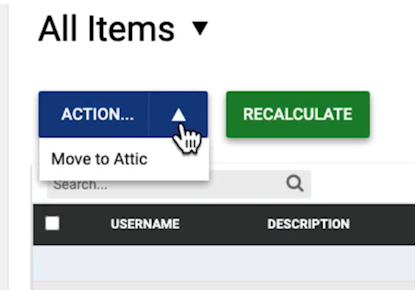
- Allows batch actions on selected records.
- "Move to Attic" sends no longer needed records to a storage space.
Related articles