![accrisoft_logo_med.png]](https://help.accrisoft.com/hs-fs/hubfs/accrisoft_logo_med.png?height=50&name=accrisoft_logo_med.png)
Most pages in Freedom have two addresses: a full system URL and a shorter, human-readable URL (HURL). Understanding the difference helps when creating links within the platform.
URL
A URL is the full system path for a page. It contains parameters that describe the module and content type, which may not be meaningful to end users.
Example: https://example.com/index.php?src=blog&srctype=detail&refno=351
HURL
A HURL (human-readable URL) is a shortened, readable version of the URL that Freedom generates automatically. It abstracts the system parameters and presents a clean path.
Example: https://example.com/news/sports/wildcats-win/
Note: In rare cases, a HURL may point to the wrong page if Freedom abstracts too much information. Contact the Customer Care team if you encounter this issue.
Creating links using the HURL
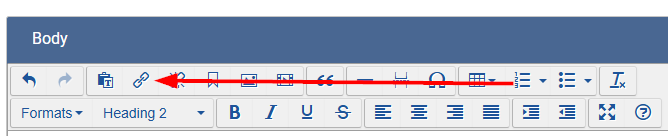
The standard Insert Link dialog creates links using the URL, not the HURL. To link using the HURL instead:
- Open the Link Wizard and search for the page you want to link to.
- The Link Wizard will display both the URL and the HURL for that page. Copy the HURL.
- Highlight the text you want to link in the editor, then press Cmd + K (Mac) or Ctrl + K (Windows) to open the Insert Link dialog.
- Paste the HURL into the URL field and click OK.